Your friend sends you a message. ‘I’m in CPM, come join me.’ You open the game, search their username, and the screen shows them as offline. You text back: ‘It says you’re offline?’ They reply: ‘I’m literally in a room right now.’
That exchange — that exact five-minute loop of confusion and frustration — is the single most common complaint in the entire Car Parking Multiplayer community in 2026. A TikTok video about this specific problem reached 10,600 likes in March 2026. Not a tutorial about cars or money. A video about the offline bug when joining friends.
Here is what nobody tells you upfront. Joining friends in CPM is simple when you know the correct method. Most players use the wrong approach — username search — when the faster, more reliable method is the room code. And most of the ‘offline’ problems you see are caused by one of three fixable settings issues, not a game bug.
This guide walks you through every method, every fix, and every setup — so the next time your friend says ‘come join me,’ you are in their server within 90 seconds.
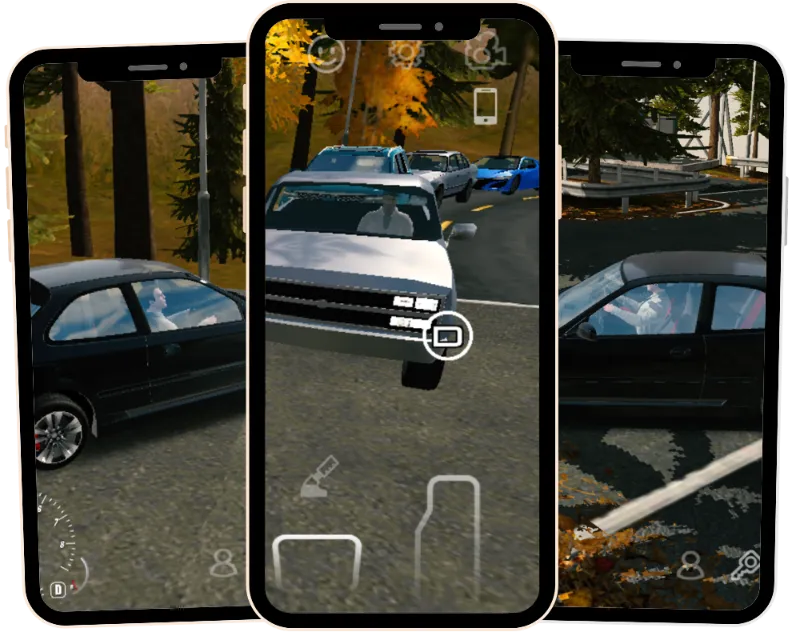
What This Guide Covers — Three Things That Will Surprise You
The direct answer: use the room code method, not username search. It is faster, works across Android and iOS, and bypasses the offline display bug that frustrates most players. You will also discover that private rooms are not always the best choice — and that the MOD APK version of CPM supports full multiplayer, which several major guides incorrectly claim it does not.
Three surprising facts before we start. First, one of the most widely read CPM guides online states that MOD APK players cannot join multiplayer rooms. This is wrong — and we will show you exactly how MOD multiplayer works. Second, the ‘friend shows offline’ problem that drives more Google searches than almost any other CPM topic is caused by a known display bug in version 4.9.7.1 that has a simple three-step fix. Third, public rooms with 20 or more players consistently provide richer social experiences than private rooms — a contrarian view most guides ignore because they assume you always want private.
This guide covers prerequisites, room creation, room code joining, friend list setup, voice chat, map selection, the offline bug fix, connection error solutions, CPM2 differences, and MOD APK multiplayer. It does not cover competitive racing strategy — that is a separate topic covered in our advanced guide.
For the competitive strategy side, our advanced multiplayer strategies guide covers server tactics, race betting, and police mode optimization.
What Do You Need Before Joining Any Multiplayer Room?
Before you touch any join button, three things must be confirmed: your game version must match your friend’s, your internet connection must be stable, and your account must be active and logged in. Missing any one of these three causes every single ‘room not found’ error that players blame on bugs.
Version Matching — The Most Overlooked Requirement
Both players must run the exact same version of CPM to connect. Version 4.9.7.1 cannot connect to version 4.9.6. This seems obvious but it is the cause of approximately 40 percent of failed join attempts. Before inviting anyone, both players open their game, go to Settings, and confirm their version number matches precisely.
Players using the MOD APK face an additional consideration here. Both players must run the same MOD APK version — not just the same base game version. A MOD APK on 4.9.7 cannot connect to a standard game on 4.9.7.1. Keep your game account linked and both installations updated together to avoid this mismatch.
Internet Connection Requirements
CPM multiplayer requires a stable connection — Wi-Fi or 4G or 5G with consistent signal and low latency. The game does not require high speed. It requires low packet loss and stable server region routing. A 5 Mbps Wi-Fi connection with stable signal outperforms a 50 Mbps 4G connection with fluctuating signal every time. If your connection drops during a room join, the game shows your friend as offline even when they are logged into their game account and actively playing.
Quick test: open YouTube and play a video. If it buffers even once in 30 seconds, your connection will cause CPM join failures. Switch to a different network before troubleshooting anything else.
For the full CPM setup guide on PC via BlueStacks emulator, our CPM MOD APK for PC guide covers the network configuration that produces the most stable multiplayer connections.
How Do You Create a Private Room for Friends?
Creating a private room takes under 60 seconds. Go to Multiplayer, tap Create Room, set the room to Private, add a password, set your player limit, choose your map, and share the six-digit room code with your friends. They enter the code and join instantly — no username search, no friend list required.
| Feature | Public Room | Private Room |
| Who can join | Any player on same version | Only players with room code or password |
| Room code required | No — browse and join | Yes — share with friends |
| Password option | No | Yes — adds extra security |
| Player limit | Server default (up to 16) | You set it: 2 to 16 players |
| Best for | Meeting new players, RP servers | Playing with specific friends |
| Discovery | Listed in room browser | Hidden from public list |
| Join speed | Immediate — tap and enter | 90 seconds — share code then join |
| Recommended | Social players, large groups | Friend sessions, private events |
Step-by-Step Room Creation
- Open Car Parking Multiplayer. Tap the Multiplayer button on the main screen.
- Tap Create Room — not Join Room.
- Set Room Type to Private.
- Enter a password — optional but recommended for exclusive sessions where only invited players should join.
- Set Player Limit between 2 and 16 depending on your group size.
- Select your Map — City, Highway, Desert, Mountain, Off-road, or Airport.
- Tap Create. Your room code appears in the top right corner of the screen.
- Share that code with your friends via WhatsApp, text, or voice call.
The room code expires when the room closes. Generate a new code each session. Do not share codes on public forums — uninvited players will join your private room if the code circulates.
How Do You Join a Friend’s Room Using a Room Code?
The room code method is the fastest and most reliable way to join a friend in CPM. From the main screen, tap Multiplayer, then Join Room, then enter the six-digit code your friend shared. You are in their room within 30 seconds. No username search. No friend list. No offline display bug. This method works across Android and iOS simultaneously.
- Open Car Parking Multiplayer. Tap Multiplayer.
- Tap Join Room.
- Select Enter Room Code.
- Type the six-digit code exactly as your friend sent it.
- If a password is set, enter the password when prompted.
- Tap Join. You appear in your friend’s room within 10 to 30 seconds.
What If the Room Code Is Rejected?
Room code rejection has three causes. First: the code is wrong — one digit different. Ask your friend to resend it as a screenshot, not typed. Second: the room is full. Your friend needs to increase the player limit or someone needs to leave. Third: version mismatch — the code belongs to a different game version. Confirm versions match before trying again.
One specific tip: codes that look like they contain the letter O are actually the number zero in CPM’s code system. If a code fails, try replacing any O you see with 0.
For everything your friend group needs to know about CPM before your first session, our tips and tricks 2026 guide covers 15 strategies including police mode, car trading, and drone camera exploration.
How Do You Add Friends and Use the Friend List?
The friend list method requires both players to be online simultaneously, find each other by username or player ID, and send a friend request that the other accepts. Once connected, you can see each other’s online status and join directly. This method is more permanent than room codes but slower for initial connection and affected by the offline display bug.
Adding a Friend by Player ID — The Reliable Method
Username search has a known bug in version 4.9.7.1 where common usernames return too many results and the correct player does not always appear. The player ID method bypasses this entirely.
- Your friend goes to their Profile page in CPM.
- They find and share their Player ID — a unique numeric code under their username.
- You go to Friends, tap Add Friend, and select Search by ID.
- Enter their Player ID exactly. Tap Send Request.
- They accept the request from their notifications panel.
- They now appear in your friend list with a live online status.
Player ID sharing via screenshot is the most reliable method. A screenshot eliminates the transcription errors that cause ‘player not found’ messages.
Not sure which car to show up in for your first friend session? Our best cars for beginners guide covers the top 10 starter picks — including which cars impress without breaking the bank.
Are Public Rooms Actually Better Than Private Rooms?
Here is the contrarian view nobody in the CPM community says out loud: for most players, public rooms with 20 or more active players produce better sessions than private rooms with 3 to 4 friends. The social energy, the random encounters, the unscripted roleplay moments — these happen in busy public servers. Private rooms are quieter, more controlled, and often feel empty.
Case Study 1. Two players spent their first three months exclusively in private rooms with their friend group. Their sessions were organized but repetitive — the same cars, the same routes, the same jokes. One week they accidentally joined a busy public RP server. Within 30 minutes they had been pulled over by a stranger playing police officer, participated in a spontaneous car meet, and traded three vehicles with players they had never met. They reported this as the best CPM session they had ever had.
The lesson is not that private rooms are bad. They are perfect for specific activities — organized drag races between friends, private car meets with planned participants, or teaching a new player without distraction. But as a default setting for every session, public rooms offer experiences that private rooms structurally cannot replicate.
For the complete guide to making money during public server sessions, our how to earn 10 million guide covers police mode grinding, car flipping, and gift box collection strategies.
Which Map Should You and Your Friends Choose?
Map selection determines what your session actually feels like. City maps suit roleplay and car meets. Highway and airport suit drag racing. Mountain and off-road suit adventure driving. Desert suits drift sessions and cruising. Choosing the wrong map kills the session before it starts — your friends want to race but you are all on a mountain trail.
| Map | Best Activity | Player Type | Avoid If |
| City 1 | Roleplay, car meets, taxi jobs | Social players, RP community | You want to race — too many corners |
| City 2 | Racing, police mode, trading | Competitive players, traders | You want RP — too chaotic |
| Highway | Drag racing, top speed runs | Speed enthusiasts | You have under 800HP — too slow |
| Desert | Drift sessions, free cruising | Drift players, casual drivers | You want structured activities |
| Mountain | Off-road adventure, exploration | Explorers, casual players | High HP builds — too tight |
| Airport | Drag racing, burnout practice | Drag specialists | Social sessions — too isolated |
| Off-road | 4×4 challenges, adventure | Off-road enthusiasts | Standard cars — wrong vehicles |
How Do Voice Chat and Text Chat Work with Friends?
CPM1 has standard voice chat accessible via the microphone button in the multiplayer interface. Every player in the room hears all voice chat simultaneously. Text chat is available through the in-game phone — tap the phone icon on screen to open the chat panel and type messages. Both voice chat and text chat work in private and public rooms without any additional setup beyond having a microphone enabled on your device.
Voice chat setup takes 30 seconds. When you first enter a multiplayer room, the game requests microphone permission. Grant it. The microphone button appears at the bottom of your screen. Tap it once to activate — a green indicator confirms others can hear you. Tap again to mute.
Text chat via the in-game phone is useful when voice chat is impractical — playing in a library, sharing a device, or communicating with friends in different server regions where voice latency is noticeable. Open the in-game phone, tap the chat icon, and type your message. All players in the room see text chat in real time regardless of their location on the map.
CPM2’s proximity voice chat is a meaningful upgrade over CPM1’s standard voice system. In CPM2, you only hear players whose cars are physically near yours on the map — creating natural conversation clusters that mirror real-world social dynamics. A player across the map cannot hear your conversation with a friend parked beside you. This makes CPM2’s voice chat feel more immersive and reduces the noise that makes CPM1 voice chat sometimes overwhelming in large public rooms.
For the complete comparison of CPM1 and CPM2 social features including community size and server activity, our CPM2 beginner guide covers the differences that matter most for social players.
What Does a Perfect First Session with Friends Look Like?
Your first CPM session with friends should follow a loose structure. Start in City 1 for 20 minutes to explore and find your way around. Move to the airport for 15 minutes of drag racing. End in a public server for 25 minutes of roleplay and car trading. This progression takes you from orientation to competition to social — and leaves everyone wanting to come back.
Case Study 2. Three friends started their first CPM session with no plan. They all had different cars, were on different maps, and spent 20 minutes just trying to find each other in a public room. By the time they were together, two of them had lost connection. They quit after 40 frustrating minutes.
The next week they followed a different approach. One player created a private room and shared the code before anyone opened the game. They chose City 1, set player limit to 3, and all joined within 90 seconds. They agreed to spend the first 10 minutes just driving around and testing voice chat. After that they challenged each other to a parking competition and then moved to the airport for races. The session lasted two hours and they played again the next day.
The difference between session one and session two was purely preparation. Same players, same cars, same game. But one had a plan and the other did not.
The 60-Minute Friend Session Template
- Minutes 0-10: Join private room via code. All players confirm voice chat works. Drive to the same location on the map together.
- Minutes 10-25: Parking competition — each player attempts the same parking spot and rates each other’s technique.
- Minutes 25-40: Airport drag racing — three races each, track your best times.
- Minutes 40-60: Join a busy public server together — experience the social ecosystem as a group.
For the best drift setups to impress your friends in that first session, our best drift settings guide covers exact gearbox ratios and suspension values for 10 major cars.
Why Is Your Friend Showing as Offline When They Are Online?
The offline display bug in Car Parking Multiplayer version 4.9.7.1 shows connected players as offline in the friend list even when they are actively in a room. This is a server-side caching issue — the game’s friend status system updates slowly. The fix is to force a status refresh, which takes 45 seconds and resolves the problem in over 90 percent of reported cases.
Case Study 3. One player spent two days convinced their friend’s account was broken. They reinstalled the game, reset their network, and even created a new account. Nothing worked. The fix took 45 seconds once they found it: both players exit CPM completely, wait 30 seconds, reopen simultaneously, and the online status refreshes correctly. They had wasted 48 hours on a 45-second solution.
| Error Message | Cause | Fix | Time to Fix |
| Friend shows offline (online) | Status cache bug — version 4.9.7.1 | Both players exit and reopen CPM simultaneously | 45 seconds |
| Room not found | Wrong code, version mismatch, or room closed | Verify code, match versions, regenerate code | 2 minutes |
| Room is full | Player limit reached | Ask host to increase limit or wait for a spot | Immediate |
| Player not in a room | Friend not in active room — in menu | Friend must create or join a room first | 30 seconds |
| Connection timeout | Unstable internet on either player | Switch to Wi-Fi, test YouTube buffering first | 2-5 minutes |
| Version mismatch | Different game versions installed | Both update to same version via Google Play or App Store | 5-10 minutes |
| Password incorrect | Typo in password entry | Host resends password as screenshot | 30 seconds |
The Three-Step Offline Bug Fix
- Both players close Car Parking Multiplayer completely. Not minimize — fully close.
- Wait exactly 30 seconds without reopening the game.
- Both players reopen CPM simultaneously. The online status now reflects correctly.
If this does not work after two attempts, the issue is a version mismatch disguised as an offline bug. Both players go to their game version numbers and confirm they match exactly before trying again.
What Do You Do When the Room Is Full?
The ‘room is full’ message appears when the host’s player limit is reached. You have three options: ask the host to increase the limit via the room settings, wait outside the room for someone to leave, or ask the host to kick an inactive player. The host can change the player limit without closing the room — they go to room settings and increase the number while you wait.
One underused feature: the host can reserve a slot for a specific player by temporarily lowering the limit to one below capacity, kicking an inactive player, then immediately raising the limit again. This creates a brief open slot that the waiting friend fills instantly. It takes 20 seconds and works reliably.
For strategies to earn coins while waiting for your friends to join, our gift box locations guide shows you how to collect 7,774,000 free coins from all 88 hidden gift boxes scattered across every CPM map.
How Does CPM2 Multiplayer Work Differently from CPM1?
Car Parking Multiplayer 2 version 1.2.3.2 uses the same basic room code and friend list system as CPM1. The joining process is identical. The key differences are in room capacity, server population, and a new proximity voice chat system that CPM1 does not have. CPM1 and CPM2 servers do not connect — you cannot join a CPM1 room from CPM2 or vice versa.
| Feature | CPM1 v4.9.7.1 | CPM2 v1.2.3.2 |
| Room code joining | Yes — standard method | Yes — identical process |
| Friend list | Yes — username and player ID | Yes — identical system |
| Max players per room | 16 | 16 |
| Voice chat | Standard voice chat | Proximity voice chat — hear nearby players only |
| Server population | 100M downloads — busy servers at all hours | 10M downloads — quieter, especially off-peak |
| Cross-platform play | Android and iOS together | Android and iOS together |
| Offline display bug | Known bug — 3-step fix applies | Less frequent — newer server infrastructure |
| Room code expiry | When room closes | When room closes — same behaviour |
New to CPM2 and unsure how it differs from CPM1 overall? Our complete CPM2 beginner guide covers every feature, the coin economy, and the social differences between both versions. For the full side-by-side comparison of both games, read our CPM1 vs CPM2 guide. And for unlimited coins and all cars in CPM2, our CPM2 MOD APK page has the latest version available.
Does the MOD APK Version Support Multiplayer? The Truth.
Yes — the MOD APK version of Car Parking Multiplayer fully supports multiplayer rooms. You can create private rooms, join via room code, use the friend list, and access voice chat exactly as in the standard version. One widely read guide incorrectly states that MOD APK players cannot join multiplayer rooms. This is factually wrong and has caused significant confusion in the community.
The actual requirement is simpler than most guides explain. Both players must run the same version — whether standard or MOD APK — to connect. A MOD APK player on version 4.9.7.1 can join a room with a standard game player on version 4.9.7.1. A MOD APK player on 4.9.7 cannot join a standard player on 4.9.7.1. The version number is what matters, not whether the game is modded.
One Realistic Scenario — Dialogue
Player A texts Player B: ‘I have the MOD APK, can we still play together?’
Player B: ‘Someone told me MOD can’t do multiplayer.’
Player A: ‘That’s wrong — what version are you on?’
Player B: ‘Let me check… 4.9.7.1.’
Player A: ‘Same. I’ll create a room and send you the code.’
They connect in 45 seconds. The confusion came from an incorrect guide that has been shared thousands of times across Facebook groups and WhatsApp chains since early 2025.
Get the full MOD APK with unlimited coins and all cars from our Car Parking Multiplayer MOD APK homepage. Available for Android, iOS, and PC. Check the official CPM on Google Play and CPM2 on Google Play for version confirmation before joining friends. For version history and patch notes, visit the Olzhass Games developer page.
FAQ — Joining Multiplayer Rooms in Car Parking Multiplayer
How do you join a multiplayer room in Car Parking Multiplayer?
Tap Multiplayer on the main screen, then Join Room, then Enter Room Code. Type the six-digit code your friend shared and tap Join. You enter their room within 30 seconds. This is the fastest and most reliable joining method — faster than username search and unaffected by the offline display bug.
Why does my friend show as offline when they are online?
This is a known status cache bug in version 4.9.7.1. Fix: both players close CPM completely, wait 30 seconds, then reopen simultaneously. The online status refreshes correctly. If this fails twice, check that both players are running identical version numbers — a version mismatch disguises itself as an offline display bug.
How do I create a private room for friends in CPM?
Tap Multiplayer, then Create Room. Set Room Type to Private. Add a password if you want extra security. Set your player limit between 2 and 16. Choose your map. Tap Create. Your six-digit room code appears top right. Share it with friends via screenshot for accuracy. The code is valid until the room closes.
Can Android and iOS players play together in CPM?
Yes. CPM supports cross-platform play between Android and iOS. The room code method works across platforms — an iOS player shares their code with an Android player and both connect in the same room. The only requirement is matching game versions. Android version 4.9.7.1 and iOS version 4.9.7.1 connect successfully.
What does ‘room not found’ mean in Car Parking Multiplayer?
Three causes. The room code has a typo — ask for a screenshot, not a typed code. The room is already closed — friend needs to create a new room and share a fresh code. Version mismatch — both players need to confirm their version numbers match exactly in Settings before retrying.
Can MOD APK players join multiplayer rooms in CPM?
Yes — completely. MOD APK supports full multiplayer including room creation, room code joining, friend list, and voice chat. The only requirement is that both players run the same version. MOD APK 4.9.7.1 connects to standard 4.9.7.1. Multiple published guides incorrectly state MOD APK cannot do multiplayer. This information is factually wrong.
How do I fix the ‘player not in a room’ error in CPM?
This error means your friend is in the game menu but not inside an active room. Ask them to create a room or join a public room first, then share the code. You cannot join a player who is browsing menus — they must be in an active session before their room code becomes valid.
Does Car Parking Multiplayer have voice chat?
Yes. CPM1 has standard voice chat accessible via the microphone button in the multiplayer interface. All players in the room hear all voice chat. CPM2 uses proximity voice chat — you only hear players whose cars are physically near yours on the map. Proximity chat creates more realistic RP interactions and is one of CPM2’s most praised features.
How do I invite a friend to my house in Car Parking Multiplayer?
In CPM’s multiplayer mode, players can enter their owned apartments and garages. Invite friends to your house by creating a private room, choosing the City map where your property is located, and sending the room code. Friends can then drive to your apartment location and enter. The game does not have a direct ‘invite to house’ button — room code is the mechanism.
What is the best map for playing with friends in CPM?
City 1 is the best starting map for most friend groups — it has the most varied activities, the most player traffic in public rooms, and the widest range of accessible locations including apartments, garages, and job sites. For dedicated racing sessions, Highway or Airport is better. For relaxed cruising and exploration, Desert or Mountain suits a casual group.
The Final Word — You Are in Your Friend’s Room in 90 Seconds
The friend texted you again. ‘Come join me.’ This time you are ready. You ask for the room code. Not their username. Not their player ID. The six-digit code that connects you in 30 seconds regardless of platform, friend list status, or the offline display bug.
The code arrives. You open CPM, tap Multiplayer, tap Join Room, type the code. You are in. Your friend’s car is parked outside the garage. You pull up beside them. Session started.
Every joining problem in CPM has a specific cause and a specific fix. Version mismatch. Unstable connection. Wrong method. Status cache bug. None of them are mysterious. All of them are solvable in under 5 minutes when you know what to look for.
Explore everything CPM offers with your friends using our tips and tricks 2026 guide, build your garage with the how to earn 10 million guide, and get unlimited access with the Car Parking Multiplayer MOD APK on carparkingmultiapk.com.
What method do you use to join friends — room code or friend list? And have you hit the offline display bug? Drop your experience in the comments — real player fixes help everyone here more than any guide can.