
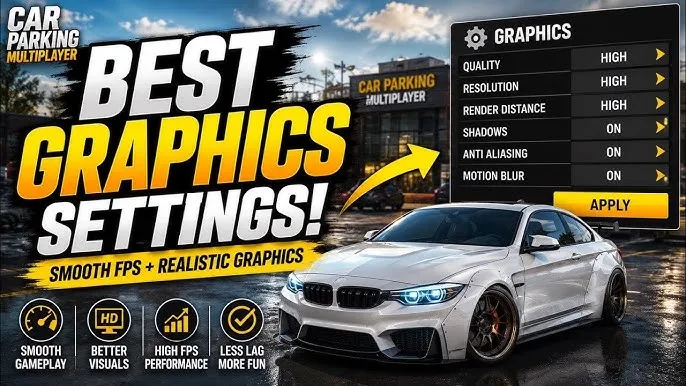
Car Parking Multiplayer Best Graphics Settings 2026: Improve FPS & Performance…………………….
Car Parking Multiplayer offers realistic vehicles, detailed environments, and online gameplay, but high-quality graphics can sometimes affect performance on some devices.
Players with low-end or older Android phones may experience problems like lag, frame drops, slow loading, or sudden crashes.
Using the right Car Parking Multiplayer graphics settings can make the game smoother while keeping good visual quality.
This guide explains the best CPM settings for different devices and how to improve gameplay performance.
Why Graphics Settings Matter In Car Parking Multiplayer
Graphics settings control how the game uses your device resources.
Higher settings improve:
- Visual details
- Vehicle quality
- Environment appearance
However, they also require more:
- RAM
- Processing power
- GPU performance
A balanced setup provides smoother gameplay without making the game look poor.
Best Car Parking Multiplayer Graphics Settings For Smooth Gameplay
The ideal settings depend on your device specifications.
There is no single perfect setup for every player.
Best Settings For Low-End Android Devices
Players using older phones should focus on performance.
Recommended settings:
- Lower graphics quality
- Reduce shadows
- Disable unnecessary effects
- Lower resolution if available
- Keep background apps closed
These changes help improve FPS and reduce overheating.
Best Settings For Mid-Range Devices
Mid-range phones can handle better visual quality while maintaining smooth gameplay.
Recommended:
- Medium graphics quality
- Normal shadows
- Balanced effects
- Stable frame rate
This setup provides a good balance between appearance and performance.
Best Settings For High-End Devices
Powerful devices can use higher settings.
Recommended:
- High graphics quality
- Maximum visual effects
- Higher details
- Better environment rendering
High-end devices can handle detailed maps and vehicles more efficiently.
How To Increase FPS In Car Parking Multiplayer
FPS directly affects how smooth driving and multiplayer gameplay feels.
Close Background Applications
Apps running in the background use:
- RAM
- Battery
- Processing power
Closing unnecessary apps can improve performance.
Clear Game Cache
Temporary files can sometimes cause performance issues.
Clearing cache may help with:
- Slow loading
- Stuttering
- Random crashes
Keep Enough Storage Space
Low storage can affect game performance.
Try keeping free space available for smoother operation.
How To Fix Lag In Car Parking Multiplayer
Lag can happen because of different reasons.
Common causes include:
- Weak internet connection
- High graphics settings
- Limited RAM
- Background applications
- Older devices
Players facing serious performance issues can also follow a dedicated Car Parking Multiplayer lag fix guide.
Best Settings For Multiplayer Mode
Online gameplay requires stable performance.
For multiplayer sessions:
- Use balanced graphics
- Maintain a strong internet connection
- Avoid running multiple apps
- Reduce unnecessary visual effects
Smooth performance is more important than maximum graphics during online races.
Graphics Settings Mistakes Players Make
Using Maximum Graphics On Weak Devices
Many players increase all settings because they want better visuals.
The result can be:
- FPS drops
- Game freezing
- Battery drain
A balanced setup usually gives a better experience.
Ignoring Device Temperature
When phones become hot, performance can automatically decrease.
Playing with moderate settings helps maintain stability.
Does Updating CPM Improve Graphics Performance?
Yes, updates can improve performance.
Developers may include:
- Bug fixes
- Optimization improvements
- Better compatibility
Players can follow the Car Parking Multiplayer update history to understand major changes.
Recommended CPM Settings By Device Type
| Device Type | Graphics | Performance |
| Low-End Phone | Low | Best FPS |
| Mid-Range Phone | Medium | Balanced |
| High-End Phone | High | Best Visual Quality |
Frequently Asked Questions
What are the best graphics settings for Car Parking Multiplayer?
The best settings depend on your device. Low-end phones should prioritize performance, while powerful devices can use higher graphics.
How can I increase FPS in CPM?
Reduce graphics quality, close background apps, clear cache, and keep your device storage free.
Why does Car Parking Multiplayer lag?
Lag can happen because of high graphics settings, weak hardware, internet issues, or limited storage.
Does lowering graphics improve CPM performance?
Yes, reducing graphics settings can improve FPS and make gameplay smoother.
Can old Android phones run Car Parking Multiplayer?
Yes, but players may need lower graphics settings for better performance.
