
How to Join Multiplayer Rooms in Car Parking Multiplayer
Short answer: ask your friend for the room code, not their username. It connects you in about 30 seconds on Android and iOS. Here is the quick version.
| Fastest method | Six-digit room code |
| Join time | 10 to 30 seconds |
| Players per room | Up to 16 |
| Friend shows offline? | Both restart CPM, 45-second fix |
| MOD APK multiplayer | Yes, if versions match |

Your friend texts: ‘I’m in CPM, come join me.’ You search their name and the game says they are offline. They reply: ‘I’m literally in a room right now.’ To join multiplayer rooms in Car Parking Multiplayer without this five-minute loop of confusion, you only need to know the right method.
That loop is the most common complaint in the CPM community in 2026. A TikTok video about the offline bug hit 10,600 likes in March 2026, more than any car or money tutorial. Most players use username search, while the faster and more reliable route is the room code. And most ‘offline’ problems come from one of three fixable settings issues, not a game bug.
This guide covers every method, fix and setup, so the next time a friend says ‘come join me’, you are in their server within 90 seconds.
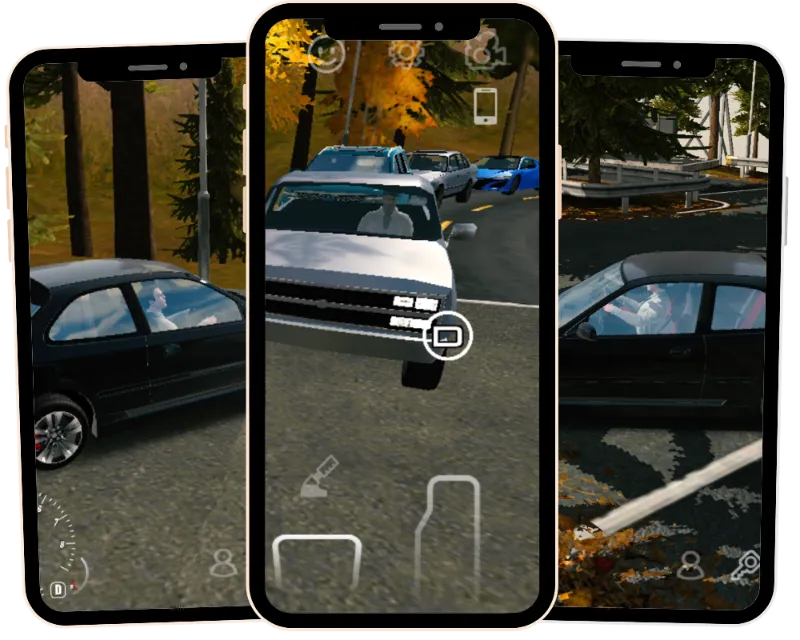
What Will This Guide Teach You About Joining Friends in CPM?
Quick answer: use the room code, not username search. It is faster, works across Android and iOS, and skips the offline display bug. Private rooms are also not always the best choice, and the MOD APK supports full multiplayer.

Three Surprising Facts Before We Start
MOD APK can play multiplayer
One widely read CPM guide says MOD APK players cannot join rooms. That is wrong, and the MOD section below shows exactly how it works.
Offline is a display bug
The ‘friend shows offline’ problem, a top Google search, comes from a known display bug in version 4.9.7.1 with a simple three-step fix.
Public beats private
Public rooms with 20 or more players usually give richer social sessions than private rooms. Most guides skip this view because they assume you always want private.
This guide covers prerequisites, room creation, room codes, the friend list, voice chat, map choice, the offline bug fix, connection errors, CPM2 differences and MOD APK multiplayer. It skips competitive racing, which our advanced multiplayer strategies guide covers, including server tactics, race betting and police mode optimization.
What Do You Need Before Joining Any Multiplayer Room?
Quick answer: matching game versions, a stable internet connection and an active, logged-in account. Missing any one causes every ‘room not found’ error that players blame on bugs.

Both players must run the exact same CPM version. Version 4.9.7.1 cannot connect to 4.9.6. This is the cause of about 40 percent of failed joins, so both of you should open Settings and confirm the version number matches precisely before inviting anyone.
MOD APK players need one extra check: both must run the same MOD APK version, not just the same base version. A MOD APK on 4.9.7 cannot connect to a standard game on 4.9.7.1. Keep your game account linked and update both installations together.
CPM needs low packet loss and stable server routing, not high speed. A steady 5 Mbps Wi-Fi beats a fluctuating 50 Mbps 4G connection every time. If your connection drops during a join, the game shows your friend as offline even while they are playing.
Quick test: open YouTube and play a video. If it buffers even once in 30 seconds, your connection will cause CPM join failures. Switch networks before troubleshooting anything else.
Playing on PC through the BlueStacks emulator? Our CPM MOD APK for PC guide covers the network configuration that gives the most stable multiplayer connections.
How Do You Create a Private Room for Friends?
Quick answer: go to Multiplayer, tap Create Room, set it to Private, add a password, choose a player limit and map, then share the six-digit code. Friends enter it and join instantly, with no username search or friend list.

| Feature | Public room | Private room |
|---|---|---|
| Who can join | Any player on same version | Only players with room code or password |
| Room code required | No, browse and join | Yes, share with friends |
| Password option | No | Yes, adds extra security |
| Player limit | Server default (up to 16) | You set it: 2 to 16 players |
| Best for | Meeting new players, RP servers | Playing with specific friends |
| Discovery | Listed in room browser | Hidden from public list |
| Join speed | Immediate, tap and enter | 90 seconds, share code then join |
| Recommended | Social players, large groups | Friend sessions, private events |
Step-by-Step Room Creation
Codes expire with the room
The room code expires when the room closes, so generate a new one each session. Do not share codes on public forums, because uninvited players will join your private room if the code circulates.
How Do You Join a Friend’s Room Using a Room Code?
Quick answer: tap Multiplayer, then Join Room, then enter the six-digit code. You are in within 30 seconds, with no username search, no friend list and no offline bug. It works across Android and iOS together.

What If the Room Code Is Rejected?
Wrong code
One digit off is enough. Ask your friend to resend it as a screenshot instead of typing it.
Room is full
The player limit is reached. The host must raise the limit or someone has to leave.
Version mismatch
The code belongs to a different game version. Confirm versions match before trying again.
One specific tip: a code that looks like it has the letter O actually uses the number zero in CPM’s code system. If a code fails, replace any O you see with 0.
Before your first session, our tips and tricks 2026 guide covers 15 strategies including police mode, car trading and drone camera exploration.
How Do You Add Friends and Use the Friend List?
Quick answer: both players go online, find each other by username or player ID, and one sends a request the other accepts. You then see live online status and can join directly. It is more permanent than room codes but slower, and the offline bug affects it.

Adding a Friend by Player ID: The Reliable Method
Username search has a known bug in version 4.9.7.1: common usernames return too many results and the right player does not always appear. The player ID method bypasses this entirely.
Sharing the Player ID as a screenshot is the most reliable route, because it removes the transcription errors behind ‘player not found’ messages.
Not sure which car to bring to your first friend session? Our best cars for beginners guide covers the top 10 starter picks, including which cars impress without breaking the bank.
Are Public Rooms Actually Better Than Private Rooms?
Quick answer: for most players, yes. Public rooms with 20 or more active players give better sessions than private rooms with 3 to 4 friends. The social energy, random encounters and unscripted roleplay happen in busy servers, while private rooms are quieter and often feel empty.

Case Study 1. Two players spent their first three months in private rooms with their friend group. Sessions were organized but repetitive: same cars, same routes, same jokes. One week they accidentally joined a busy public RP server. Within 30 minutes a stranger playing police pulled them over, they joined a spontaneous car meet and traded three cars with players they had never met. They called it their best CPM session ever.
The lesson is not that private rooms are bad. They are perfect for organized drag races between friends, planned private car meets, or teaching a new player without distraction. As the default for every session, though, public rooms offer experiences private rooms structurally cannot replicate.
To earn while you play on public servers, our how to earn 10 million guide covers police mode grinding, car flipping and gift box collection.
Which Map Should You and Your Friends Choose?
Quick answer: city maps suit roleplay and car meets, highway and airport suit drag racing, mountain and off-road suit adventure, and desert suits drifting and cruising. The wrong map kills the session before it starts.

| Map | Best activity | Player type | Avoid if |
|---|---|---|---|
| City 1 | Roleplay, car meets, taxi jobs | Social players, RP community | You want to race: too many corners |
| City 2 | Racing, police mode, trading | Competitive players, traders | You want RP: too chaotic |
| Highway | Drag racing, top speed runs | Speed enthusiasts | You have under 800HP: too slow |
| Desert | Drift sessions, free cruising | Drift players, casual drivers | You want structured activities |
| Mountain | Off-road adventure, exploration | Explorers, casual players | High HP builds: too tight |
| Airport | Drag racing, burnout practice | Drag specialists | Social sessions: too isolated |
| Off-road | 4×4 challenges, adventure | Off-road enthusiasts | Standard cars: wrong vehicles |
How Do Voice Chat and Text Chat Work With Friends?
Quick answer: CPM1 has standard voice chat through the microphone button, and every player in the room hears everyone. Text chat runs through the in-game phone. Both work in private and public rooms once your microphone is enabled.

Setup takes 30 seconds. When you first enter a room the game asks for microphone permission. Grant it and a microphone button appears at the bottom of the screen. Tap once to activate, and a green indicator confirms others can hear you. Tap again to mute.
Text chat is handy in a library, on a shared device, or with friends in other server regions where voice latency shows. Open the in-game phone, tap the chat icon and type. Everyone in the room sees it in real time, wherever they are on the map.
CPM2’s proximity voice chat is a real upgrade: you only hear players whose cars are near yours. That makes natural conversation clusters, keeps a friend beside you private from the rest of the map, and cuts the noise that can overwhelm CPM1 in big public rooms.
For the full comparison of CPM1 and CPM2 social features, including community size and server activity, our CPM2 beginner guide covers the differences that matter most to social players.
What Does a Perfect First Session With Friends Look Like?
Quick answer: 20 minutes exploring City 1, 15 minutes of drag racing at the airport, then 25 minutes in a public server for roleplay and trading. That moves everyone from orientation to competition to social play.
Case Study 2. Three friends started their first session with no plan. They had different cars, sat on different maps and spent 20 minutes just finding each other in a public room. Two lost connection, and they quit after 40 frustrating minutes.
The next week one player created a private room and shared the code before anyone opened the game. They chose City 1, set the limit to 3 and all joined within 90 seconds. They spent 10 minutes driving and testing voice chat, ran a parking competition, then moved to the airport for races. The session lasted two hours and they played again the next day.
The only difference between session one and session two was preparation. Same players, same cars, same game, but one group had a plan.
To impress your friends in that first session, our best drift settings guide covers exact gearbox ratios and suspension values for 10 major cars.
The 60-Minute Friend Session Template

Why Is Your Friend Showing Offline When They Are Online?
Quick answer: version 4.9.7.1 has a server-side status cache bug that shows connected players as offline. Force a status refresh by restarting CPM on both phones. It takes 45 seconds and fixes over 90 percent of reported cases.

Case Study 3. One player spent two days sure their friend’s account was broken. They reinstalled the game, reset their network and even made a new account. The fix took 45 seconds once they found it: both players fully exit CPM, wait 30 seconds and reopen at the same time. They had wasted 48 hours on a 45-second solution.
| Error message | Cause | Fix | Time to fix |
|---|---|---|---|
| Friend shows offline (online) | Status cache bug, version 4.9.7.1 | Both players exit and reopen CPM simultaneously | 45 seconds |
| Room not found | Wrong code, version mismatch or room closed | Verify code, match versions, regenerate code | 2 minutes |
| Room is full | Player limit reached | Ask host to increase limit or wait for a spot | Immediate |
| Player not in a room | Friend is in the menu, not an active room | Friend must create or join a room first | 30 seconds |
| Connection timeout | Unstable internet on either player | Switch to Wi-Fi, test YouTube buffering first | 2-5 minutes |
| Version mismatch | Different game versions installed | Both update to the same version via Google Play or App Store | 5-10 minutes |
| Password incorrect | Typo in password entry | Host resends password as screenshot | 30 seconds |
The Three-Step Offline Bug Fix
If this does not work after two attempts, the issue is a version mismatch disguised as an offline bug. Both players should check their version numbers and confirm they match exactly before trying again.
What Do You Do When the Room Is Full?
Quick answer: ask the host to raise the player limit from room settings, wait outside for someone to leave, or ask the host to kick an inactive player. The host can change the limit without closing the room.
One underused trick: the host can reserve a slot by lowering the limit to one below capacity, kicking an inactive player, then raising the limit again. That opens a brief slot the waiting friend fills instantly. It takes 20 seconds and works reliably.
While you wait for friends, our gift box locations guide shows how to collect 7,774,000 free coins from all 88 hidden gift boxes across every CPM map.
How Does CPM2 Multiplayer Work Differently From CPM1?
Quick answer: CPM2 version 1.2.3.2 uses the same room code and friend list system, so joining is identical. The differences are room capacity, server population and proximity voice chat. CPM1 and CPM2 servers do not connect.

| Feature | CPM1 v4.9.7.1 | CPM2 v1.2.3.2 |
|---|---|---|
| Room code joining | Yes, standard method | Yes, identical process |
| Friend list | Yes, username and player ID | Yes, identical system |
| Max players per room | 16 | 16 |
| Voice chat | Standard voice chat | Proximity voice chat, hear nearby players only |
| Server population | 100M downloads, busy servers at all hours | 10M downloads, quieter, especially off-peak |
| Cross-platform play | Android and iOS together | Android and iOS together |
| Offline display bug | Known bug, 3-step fix applies | Less frequent, newer server infrastructure |
| Room code expiry | When room closes | When room closes, same behaviour |
New to CPM2? Our complete CPM2 beginner guide covers every feature, the coin economy and the social differences. For the side-by-side comparison read our CPM1 vs CPM2 guide, and for unlimited coins and all cars in CPM2 see the CPM2 MOD APK page.
Does the MOD APK Version Support Multiplayer?
Quick answer: yes. MOD APK fully supports multiplayer rooms, room codes, the friend list and voice chat, exactly like the standard version. One widely read guide says otherwise, and that is factually wrong and has caused real confusion.

The real requirement is simple: both players must run the same version, standard or MOD. A MOD APK player on 4.9.7.1 can join a standard player on 4.9.7.1, but a MOD APK on 4.9.7 cannot join a standard 4.9.7.1 player. The version number matters, not whether the game is modded.
One Realistic Scenario
Player A: ‘I have the MOD APK, can we still play together?’
Player B: ‘Someone told me MOD can’t do multiplayer.’
Player A: ‘That’s wrong, what version are you on?’
Player B: ‘Let me check… 4.9.7.1.’
Player A: ‘Same. I’ll create a room and send you the code.’
They connect in 45 seconds. The confusion came from an incorrect guide shared thousands of times across Facebook groups and WhatsApp chains since early 2025.
Get the full MOD APK with unlimited coins and all cars from our Car Parking Multiplayer MOD APK homepage. Available for Android, iOS and PC. Check the official CPM on Google Play and CPM2 on Google Play for version confirmation before joining friends, and visit the Olzhass Games developer page for version history and patch notes.
FAQ: Joining Multiplayer Rooms in Car Parking Multiplayer
Can You Be in Your Friend’s Room in 90 Seconds?
The friend texts again: ‘Come join me.’ This time you are ready. You ask for the room code, not their username or player ID. The six-digit code connects you in 30 seconds regardless of platform, friend list status or the offline display bug.
The code arrives. You open CPM, tap Multiplayer, tap Join Room and type it in. You are in, your friend’s car is parked outside the garage, and you pull up beside them. Session started.
Every joining problem in CPM has a specific cause and fix: version mismatch, unstable connection, the wrong method, the status cache bug. None are mysterious, and all are solvable in under 5 minutes when you know what to look for.
What do you use to join friends, room code or friend list? Have you hit the offline display bug? Tell us in the comments, because real player fixes help everyone more than any guide can.